

On Wednesday 5/22, I was able to get the Android emulator working and connect the MIT App Inventor projects to it in order to test my code. I was able to code an app that counted the number of presses to a button and then reset itself. Once I accomplished that, I researched what other projects were made with this software.
I followed a guide that would flip a coin at the click of a button. The first step was to add a button, image, and sound in the designer screen. I made some aesthetic adjustments to extend the width of both the button and the image to the edge of the display. The button’s text prompts the user in its function by having ‘Flip the Coin’ on it. Then I uploaded two sides of a coin to the image.
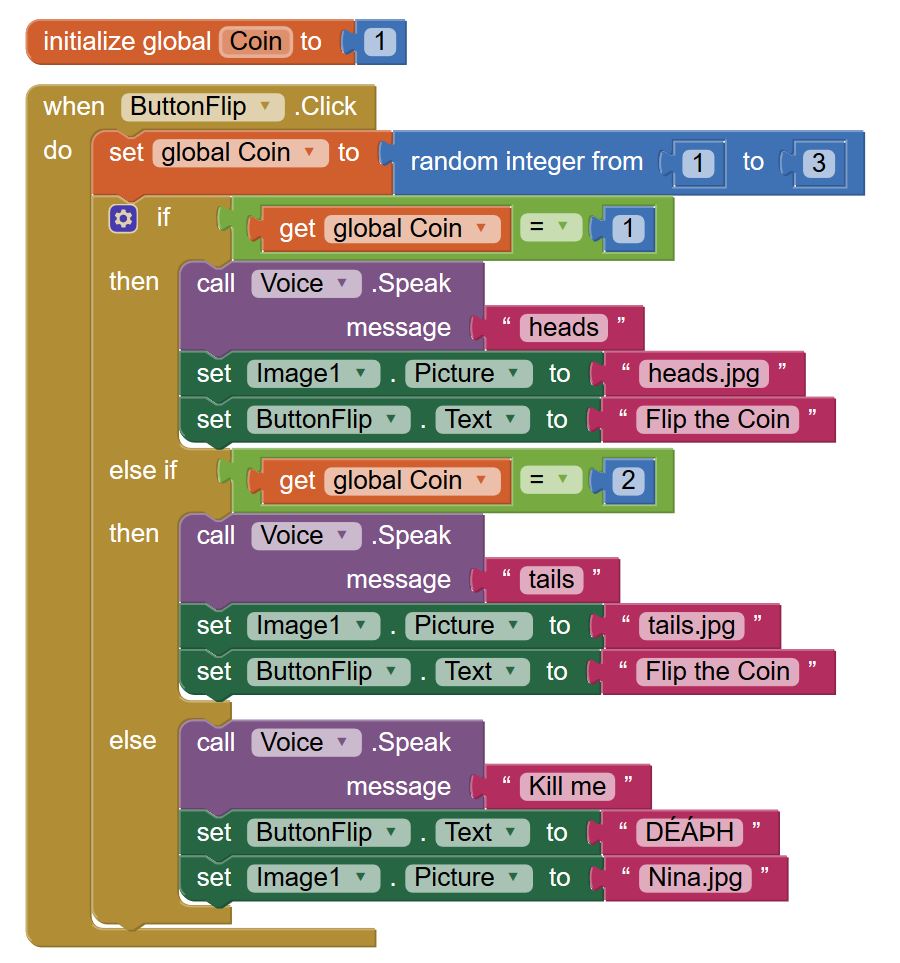
In the block, the first step was to set an initial value for the variable ‘Coin’ that would determine the side of the coin. An code block was added that occurs at when the button is pressed. When the button is pressed, the variable ‘coin’ is reassigned to the integer 1 or 2, 1 being heads and 2 being tails. An if statement was put in place in order to execute actions on the two possible conditions which follow a similar pattern to each other. Each condition sets the picture as either heads or tails then the sound of a text to speech of either ‘heads’ or ‘tails’ is played.
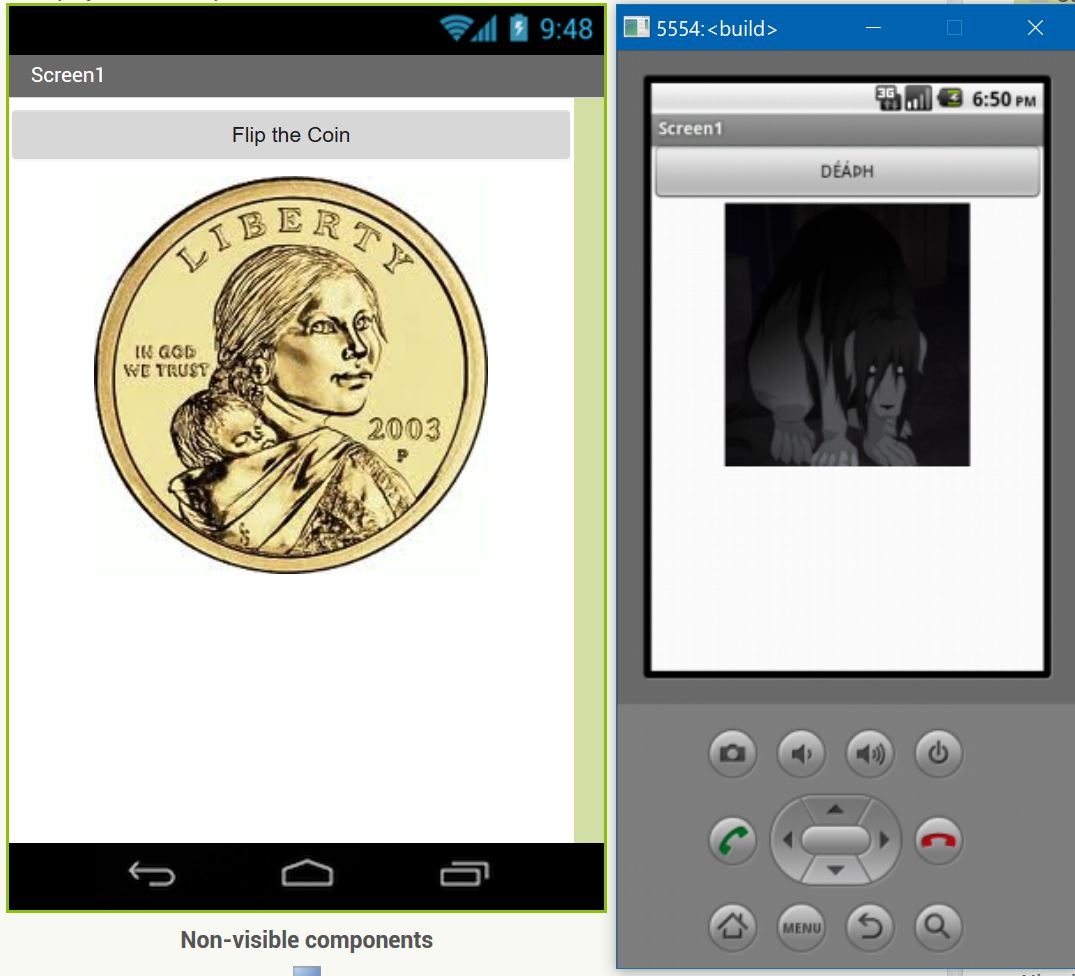
After I had coded this, I added a third possibility by extending the possible integer roll of 3 into the block and adding the conditions to the if statement if 3 where rolled. If 3 were rolled, a picture of a chimera from Full Metal Alchemist was shown and text to speech would say ‘Kill Me’. I also changed the button to read ‘DÉÁÞH’. I then had to put extra commands to keep the same button text if 1 or 2 were rolled. I did this because I had watched the chimera episode of the show Full Metal Alchemist the night before. I thought this would be funny.
Here’s proof:
 Dan's Tech Blog